


 Previous

WordPress vs. Squarespace vs. Wix vs. Showit
WordPress vs. Squarespace vs. Wix vs. Showit, all great, but one stands out as the clear choice. I’ll explain more below. Choosing the right website platform is crucial for your online success. With options like WordPress, Squarespace, Wix, and Showit, it can be challenging to determine which one best suits your needs. In this guide, we’ll compare these platforms across various factors, highlighting why WordPress stands out as the top choice for most users.
Flexibility and Customization
WordPress offers unparalleled flexibility, allowing users to customize every aspect of their website through themes, plugins, and custom code. Whether you’re building a blog, portfolio, or e-commerce site, WordPress can adapt to your needs. I personally use the Kadence framework for mine, and my client’s sites. They have a free option, and a PRO option available.
Squarespace, Wix, and Showit provide user-friendly interfaces with drag-and-drop functionality, but they come with limitations in terms of customization. Advanced features often require workarounds or are simply unavailable.
Ownership and Portability
When it comes to WordPress vs. Squarespace vs. Wix vs. Showit – With WordPress, you have full ownership of your website and its content. You can host your site anywhere, switch providers, and have complete control over your data.
In contrast, Squarespace, Wix, and Showit are proprietary platforms. Migrating away from them can be challenging, and you’re often locked into their ecosystem. Trust me, it’s a headache to start on a platform like that and inevitably have to migrate to WordPress if you want to scale. I do these migrations for clients all the time, and they can be frustrating and time consuming for someone without the help of a developer.

SEO Capabilities
WordPress is renowned for its robust SEO features. With plugins like Yoast SEO and All in One SEO, you can optimize your site’s visibility on search engines effectively.
Squarespace and Wix have made strides in SEO, but they still lack the depth and control that WordPress offers. Showit integrates with WordPress for blogging, but its SEO capabilities are limited outside of that.

WordPress vs. Squarespace vs. Wix vs. Showit: Scalability and Performance
WordPress is highly scalable, suitable for small blogs to large enterprise websites. You can upgrade your hosting, implement caching, and optimize performance as your site grows. Any big website you’ve seen, especially news outlets, and major brands, runs on WordPress. You can actually check this for yourself using a tool like BuiltWith.
Squarespace, Wix, and Showit are better suited for smaller websites. They may struggle with performance and scalability as your traffic and content increase.

Cost-Effectiveness
WordPress can be more cost-effective in the long run. While there may be initial costs for hosting and premium themes or plugins, you have control over your expenses and can scale as needed. You can find inexpensive hosting on every platform these days. I choose to host my own sites, and pay a premium for hosting to ensure uptime, speed and security for myself and my clients. Need exceptional hosting? Holler at me.
Squarespace, Wix, and Showit offer all-in-one packages, but their monthly fees can add up over time, especially when adding premium features. With WordPress, you can find a free plugin for practically anything, as it’s an open-source software and the community is very active. Check out the WordPress Plugin Repository, search for any function you’d want to add to your website, and it’s likely there.

E-commerce Functionality
WordPress with WooCommerce provides a powerful and flexible e-commerce solution, supporting various payment gateways, product types, and customizations. Another super cool eCommerce solution that I’ve recently begun using myself is SureCart
Squarespace and Wix offer built-in e-commerce features suitable for small stores but lack the advanced capabilities of WooCommerce. Showit requires integration with third-party platforms for e-commerce functionality.
Community Support and Resources
WordPress boasts a vast community of developers, designers, and users. You’ll find extensive documentation, forums, tutorials, and plugins to assist you. It is a HUGE, very involved community of the smartest minds on the internet. No waiting for your platform to develop that specific function and offer an upsell to attain it (cough, shopify, cough) just search the free WordPress plugins repository and you’re on your way.
Squarespace, Wix, and Showit have support resources, but their communities are smaller, and customization support may be limited.
Design and Aesthetics
WordPress offers thousands of themes and design options, catering to various industries and styles. With page builders like Kadence (my personal favorite!), Elementor (feels super clunky and slow to me, but lots of options), you can create visually stunning websites.
Squarespace and Showit are known for their sleek, designer-friendly templates, making them popular among creatives. Wix provides a wide range of templates but may lack the polish of the others.
Ease of Use
Squarespace, Wix, and Showit are designed for ease of use, offering intuitive interfaces suitable for beginners. But at the very steep cost of limiting you to their platforms.
WordPress has a slightly steeper learning curve but offers greater flexibility and control once mastered. The availability of tutorials and community support eases the learning process, and honestly I’d say it’s just as simple to use as the others these days with all of the new advancements.
WordPress vs. Squarespace vs. Wix vs. Showit
While Squarespace, Wix, and Showit offer user-friendly solutions for building websites, WordPress stands out as the most powerful, flexible, and scalable platform. Its extensive customization options, robust SEO capabilities, and supportive community make it the ideal choice for those serious about their online presence.
Frequently Asked Questions
Q: Is WordPress suitable for beginners?
A: Yes, with the availability of user-friendly themes and page builders, beginners can create professional websites on WordPress.
Q: Can I migrate my site from Squarespace/Wix/Showit to WordPress?
A: Yes, migration is possible, though it may require manual adjustments or the assistance of a developer.
Q: Does WordPress support e-commerce?
A: Absolutely. With plugins like WooCommerce and SureCart, WordPress offers free comprehensive e-commerce solutions.
Q: How does WordPress handle SEO?
A: WordPress excels in SEO, offering numerous plugins and tools to optimize your site’s search engine performance.
Q: Is WordPress more expensive than other platforms?
A: While initial setup may involve costs for hosting and premium features, WordPress can be more cost-effective in the long term due to its scalability and control over expenses.
|
Feature |
WordPress |
Squarespace |
Wix |
Showit |
|---|---|---|---|---|
|
Ownership |
✅ Full ownership |
❌ Platform-controlled |
❌ Platform-controlled |
❌ Platform-controlled |
|
Design Flexibility |
✅ Unlimited (with code) |
⚠️ Template-limited |
⚠️ Some flexibility |
✅ Drag-and-drop + WP blog |
|
SEO Power |
✅ Best-in-class (Yoast) |
⚠️ Basic tools |
⚠️ Decent, but limited |
⚠️ Depends on WP blog |
|
E-commerce |
✅ WooCommerce |
⚠️ Limited features |
⚠️ Okay for small shops |
❌ Requires integration |
|
Cost Control |
✅ Scalable to your needs |
❌ Flat monthly fee |
❌ Add-ons = higher cost |
❌ Monthly + WP hosting |
|
Custom Code Support |
✅ Full access |
❌ No custom code |
⚠️ Some HTML/CSS allowed |
⚠️ Limited to WP portion |
|
Scalability |
✅ From blog to enterprise |
❌ Best for small sites |
❌ Not built for scale |
❌ Not ideal for growth |
|
Ease of Use |
⚠️ Learning curve |
✅ Very beginner-friendly |
✅ Beginner-friendly |
✅ Drag-and-drop editor |
|
Third-Party Plugins |
✅ 50,000+ available |
❌ Closed ecosystem |
❌ Limited App Market |
⚠️ WordPress-only plugins |
Need a Kadence Theme?
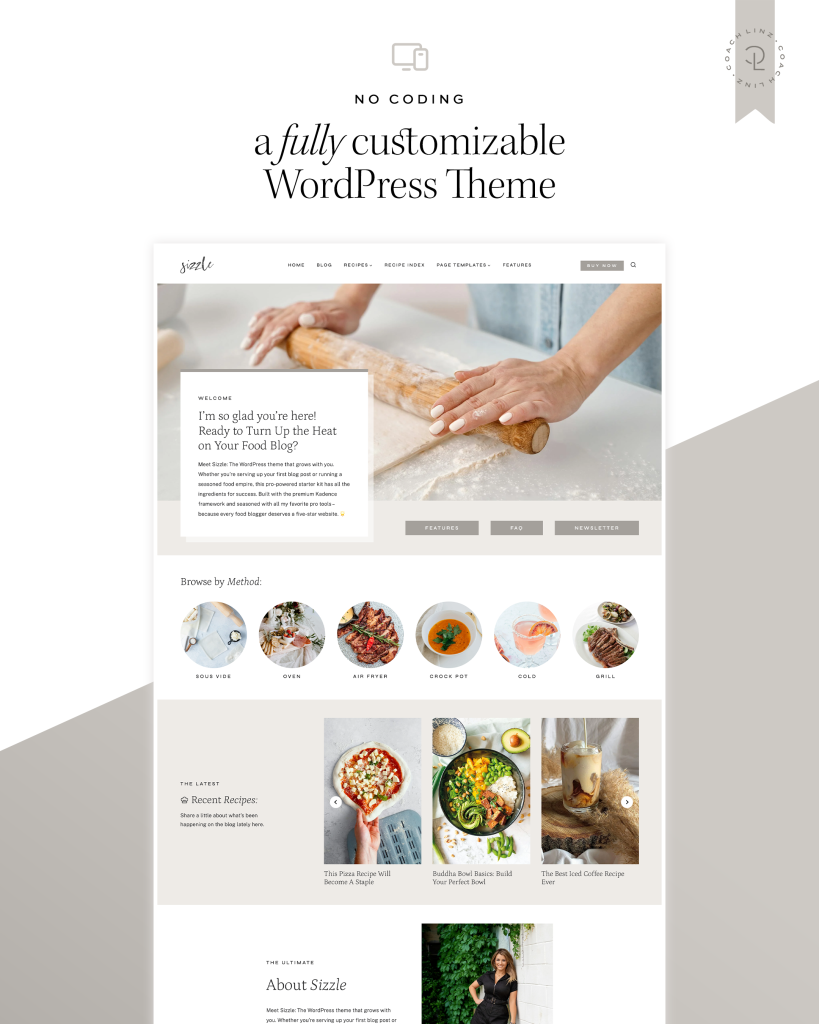
I just released Sizzle – a WordPress Theme designed for food bloggers, but that can be used for any genre. It’s simple, clean, modern and ready to help your brand shine! Check it out here!
Custom Website Design
Need help customizing your Kadence WordPress website? I’d love to help – Holler at me!
Subscribe for More Pro Tips
Written By: Lindsey Riel
